Inventory that stays accurate across every warehouse
Get real-time control of stock across all your warehouses and branches: live quantities, automatic valuation, low-stock alerts, and a complete movement history for every item. The number on screen is the number on your shelf.
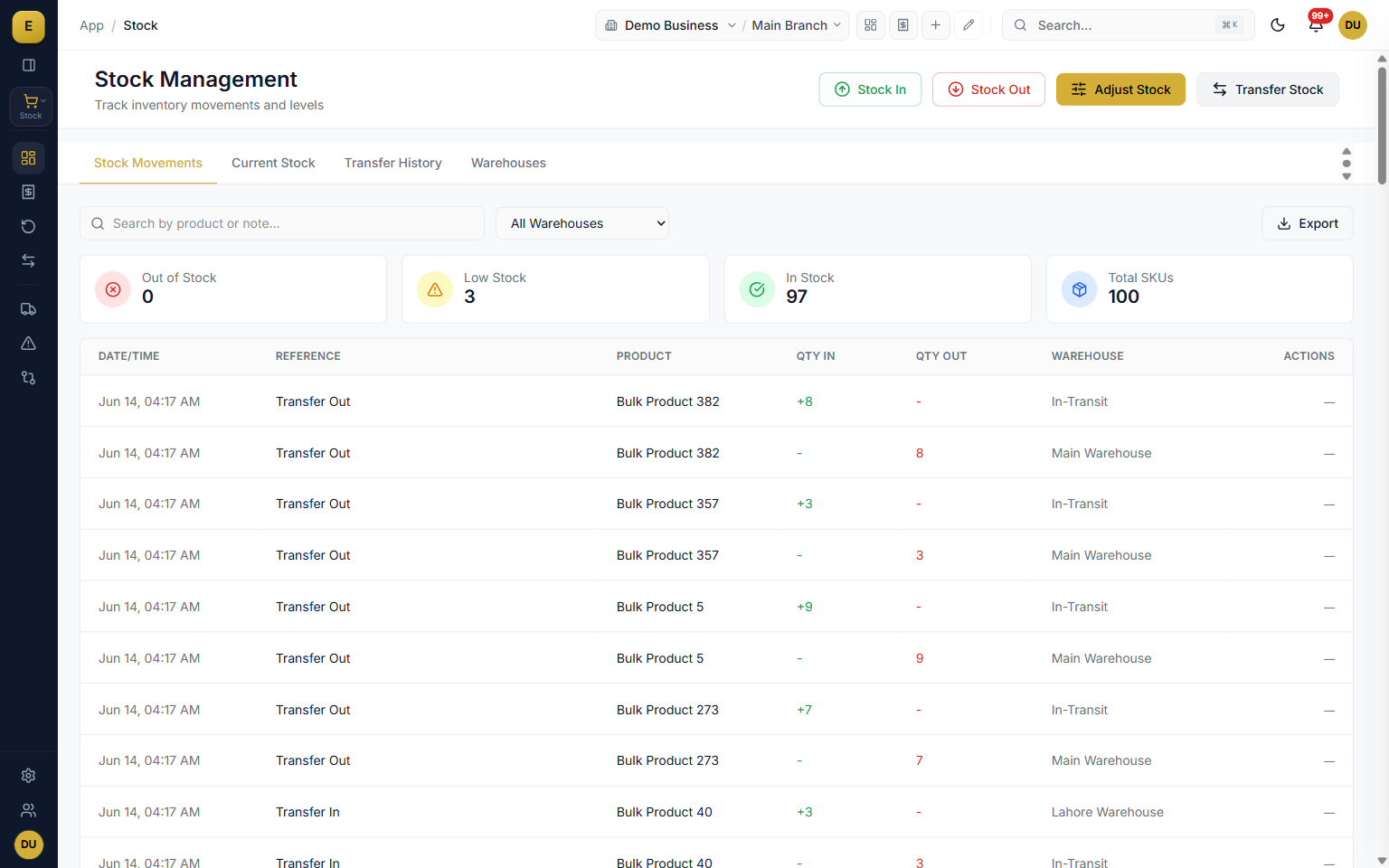
Inventory management in E-Khata Cloud is the live record of what you have, where it is, and what it is worth. Each product carries an actual quantity, a reserved quantity, an available quantity, and a valuation rate per warehouse, all built from stock ledger entries that post the moment a sale, purchase, transfer, or correction happens.
Updated October 2026
Real-time stock levels and movements
Open the stock dashboard and you see the health of your inventory at a glance. Three cards count your products by status, and the Stock Movements table records the date, document, product, quantity in, quantity out, running balance, and warehouse for each entry. Because every change posts a stock ledger entry, the dashboard balance and the underlying ledger never drift apart.
- Sales invoices and delivery notes deduct stock from the selling warehouse.
- Purchase goods receipts add stock to the receiving warehouse.
- Transfers move stock between warehouses and branches.
- Manual Stock In, Stock Out, and Adjustment entries handle anything outside a formal document.
Current stock and the stock ledger
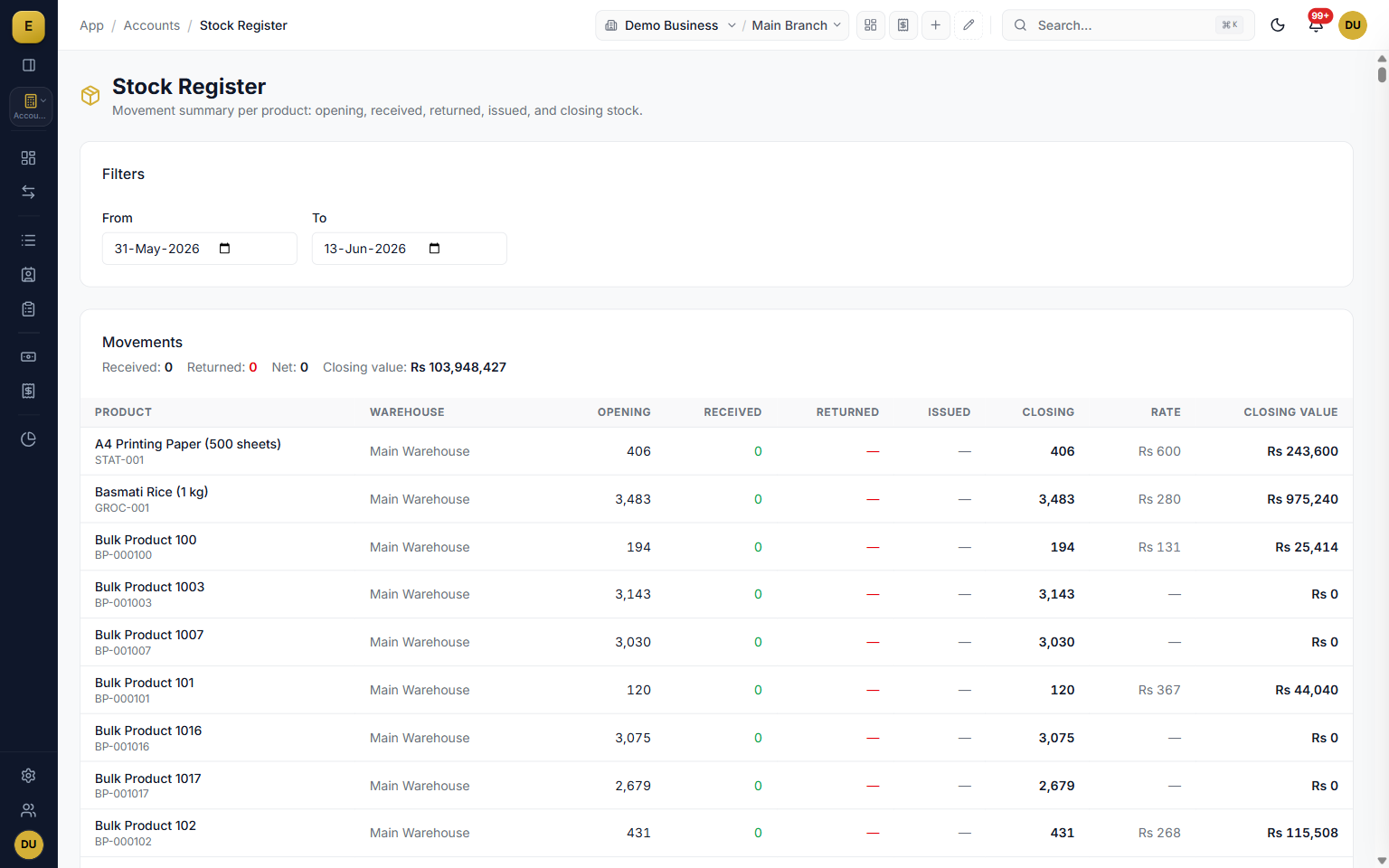
The Current Stock tab is your live snapshot. For each product in each warehouse it shows the Actual Qty, Reserved Qty, Available Qty, and Valuation Rate, and you can filter by product, warehouse, branch, or posting date and export to CSV. The stock ledger underneath is a dated record of every movement with the running balance after each entry, so you can trace any quantity back to the document that created it.
- Actual, reserved, and available quantity per product per warehouse.
- Valuation rate alongside every balance.
- Filter by product, warehouse, branch, or posting-date range.
- Export the current-stock view to CSV.
Low-stock alerts and AI reorder suggestions
E-Khata watches your minimum stock levels for you. Set a Min Stock Level per product and the dashboard classifies each item automatically: red at zero, yellow below the minimum, and green when healthy. A gold Stock Alerts and Recommendations panel surfaces reorder suggestions, and one click on Reorder pre-fills a purchase order so the buying step is one tap, not a fresh form.
- Per-product minimum stock levels drive automatic status classification.
- Filter alerts by warehouse so a branch manager sees only their shortfalls.
- Reorder suggestions for critical and low items.
- Reorder pre-fills a purchase order from the alert.
Stock valuation and cost accounting
Every stock ledger row carries a valuation rate and a stock value, with the cost method set by your company: FIFO, LIFO, or Weighted Average. Stock In posts a debit to the inventory account, Stock Out posts to cost of goods sold, and transfers post the inter-warehouse cost movement automatically. The result is a valuation figure that flows straight into your balance sheet without a separate spreadsheet.
- FIFO, LIFO, or Weighted Average costing per company settings.
- Automatic inventory and cost-of-goods-sold postings.
- Inter-warehouse cost movement handled on every transfer.
- Stock-transfer-loss journal entries keep the books honest on shortages.
Multi-warehouse and branch stock
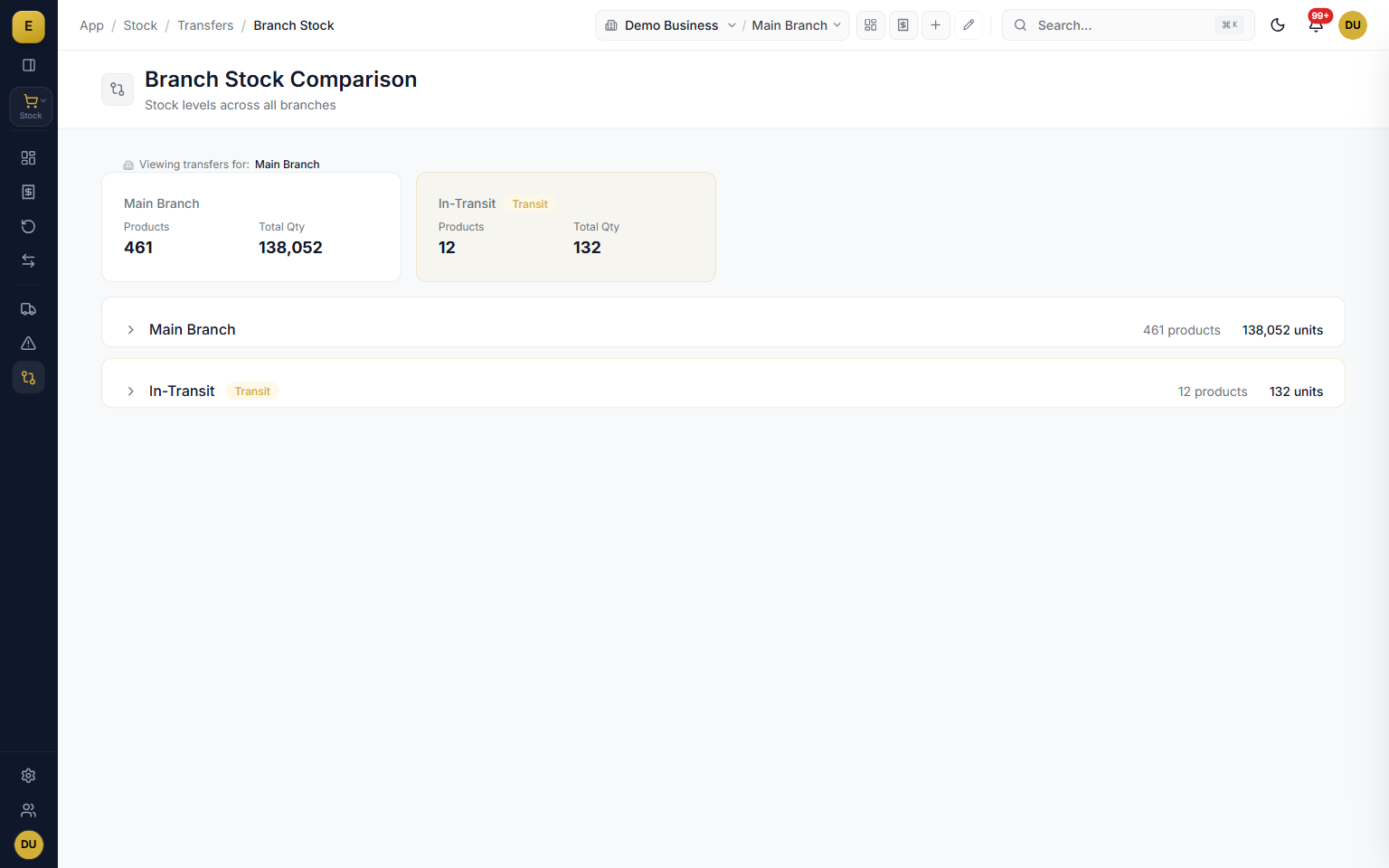
Create as many warehouses as your business needs, each with its own name, code, address, and active status, and optionally tie a warehouse to a branch. Stock balances and valuation are tracked per warehouse, and you can compare the same product across branches side by side. A retail chain can see which shop is short, and a distributor can plan a transfer before a branch runs dry.
- Unlimited warehouses, godowns, and shops under one account.
- Per-warehouse stock balance and valuation.
- Optional warehouse-to-branch mapping.
- Side-by-side branch comparison for the same product.
Branch transfers with in-transit tracking
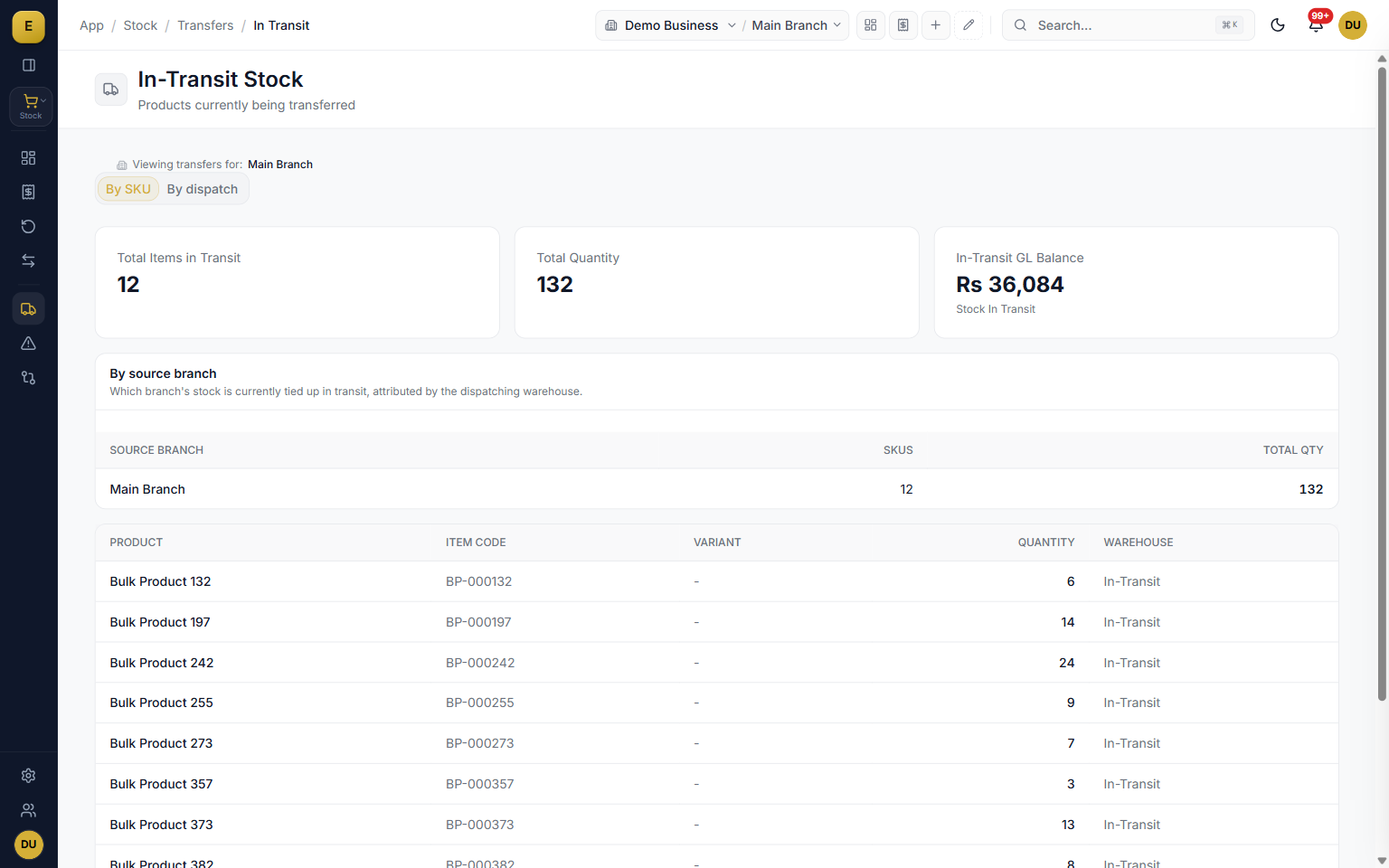
Branch transfers move stock warehouse-to-warehouse across different branches with a gated, auditable workflow: a request is created, an approver approves it, the source dispatches with full transporter details, the goods sit in an in-transit warehouse, and the destination inspects and receives them. Because in-transit stock sits outside both branch balances until it is received, nothing goes missing quietly.
- Four-step request, approve, dispatch, receive tracker.
- In-transit stock is not counted as available at either branch.
- Shortfalls stay flagged against the transfer as a discrepancy.
- Capture transporter name, vehicle, driver, bilty number, and condition.
Discrepancies and stock reconciliation
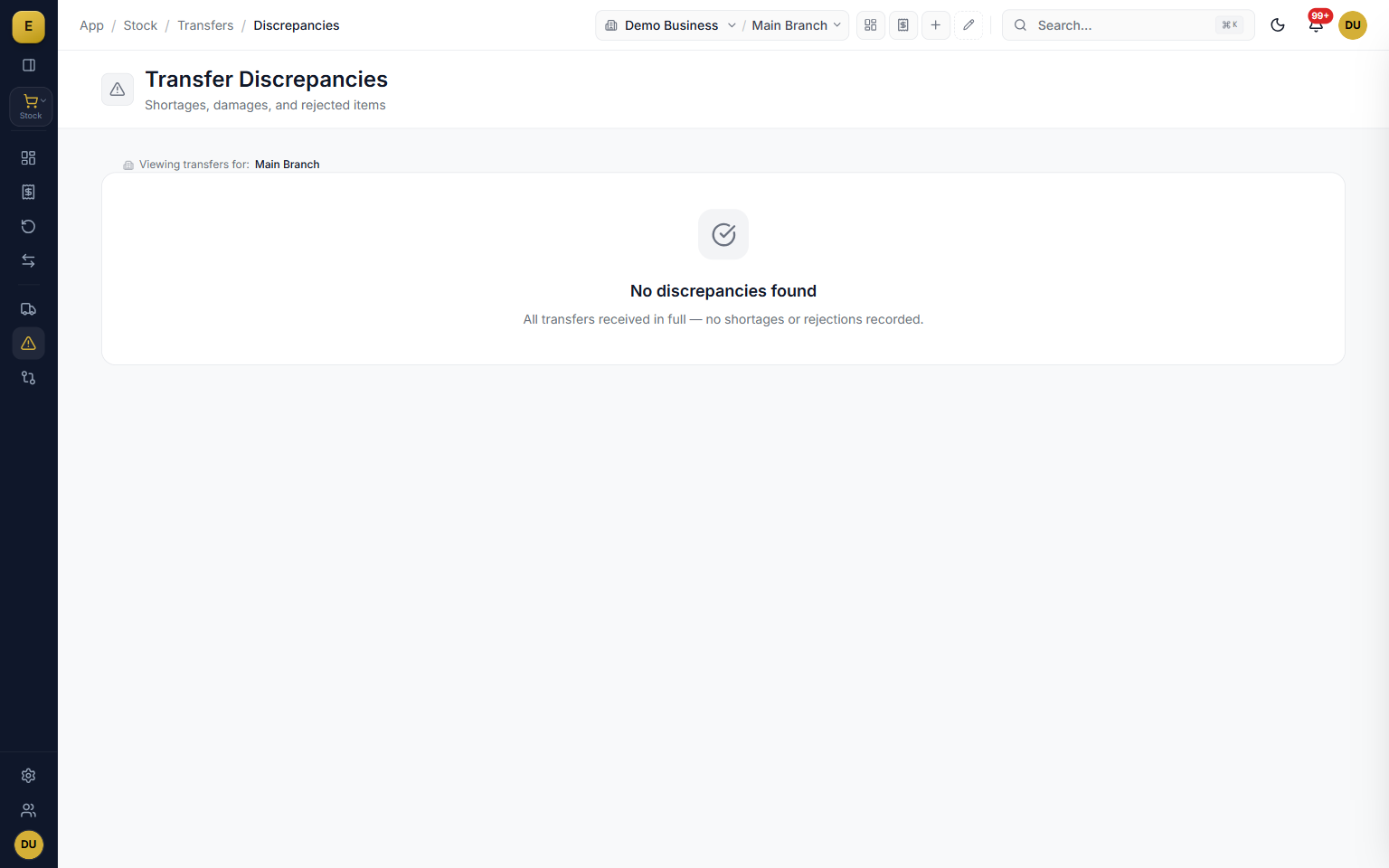
Transfers do not always go perfectly, and E-Khata is built for that. A tri-state receipt lets the receiving team Accept All, mark Partial or Damaged, or Reject All per line, and the discrepancies report compares expected and received quantities with shortage and rejected columns. For physical counts, enter the counted quantity, the system computes the delta, and an adjustment posts to the stock ledger with a reason.
- Tri-state receipt splits accepted, rejected, and shortage per line.
- Discrepancies report with CSV export across a date range.
- Physical-count reconciliation posts the delta as an adjustment.
- Reasons such as stock count correction, damaged, lost or theft, or found stock.
Split a carton, merge the pieces, approve before it posts
Stock does not always sell in the unit it arrived in. Split and Merge turns one bale into pieces or twelve loose units back into a carton as a document, with the value following the quantity so the ledger stays right. Where a business wants a second pair of eyes on stock movements, an approval step holds a receipt, transfer or adjustment until someone with the approval key signs it off.
- Split and merge as documents, launched from a receipt or on their own, with lineage back to the delivery.
- Stock approvals: draft by one person, approve and post by another.
- Batch and expiry tracking per receipt, with Batch by Warehouse and expiry reporting.
- Serial numbers, warranty and RMA have their own page under Inventory.
What the supplier billed, beside what arrived
Suppliers do not always send what they bill. Add the Billed Qty column to a Stock Receipt from Customize Grid and each line records the supplier's count, in pieces, next to what actually came off the truck. The received quantity and the payable stay exactly as entered, so a short delivery is on record to take up with the supplier instead of being quietly paid for.
- Optional Billed Qty (pcs) column on the Stock Receipt, added from Customize Grid.
- Kept apart from the quantity you received, so a carton line is never misbilled as pieces.
- When serials are scanned, fewer scans than the bill is flagged as a short delivery and the receipt still saves.
- More scans than the bill is stopped until someone corrects the count or removes the extra scan.
Committed Stock: what open orders have already promised
Stock on the shelf is not all free to sell when customers have open sales orders against it. The Committed Stock report lists every open order line with the customer, the item, the warehouse, what was ordered, what is committed, what is on hand and what is left available, with any shortfall in red. It sits with the inventory reports and the sales reports, and each row opens the order it came from.
- Ordered, committed, on hand and available per order line, with value and age in days.
- Filter by customer, product and warehouse.
- Shortfalls marked in red, so you buy or transfer before the delivery date, not after.
Thaan, rolls and anything sold by length
Cloth and other goods that arrive as rolls of different lengths need more than a quantity. Measured Pieces records each thaan or roll with its own length and code, and follows it through sales, returns and branch transfers. It is switched on in Settings and has its own page, Measured Pieces (Thaan), under Inventory.
Stock receipts and adjustments that do not wait for the internet
With offline billing switched on, stock receipts, stock adjustments and transfer requests save and print while the connection is down, each under its final number. Stock search and the product list open as of the last sync, and the quantities on screen already count this computer's unsent sales, deliveries, receipts and adjustments. When the connection returns, the server posts every movement to the stock ledger and to costing, in the order it was made.
- Stock receipts, stock adjustments and transfer requests work offline.
- Offline stock figures include this computer's own unsent orders, deliveries, receipts and adjustments.
- Each offline figure shows the time of the last sync, so nobody mistakes it for live stock.
Every stock adjustment posts to the books
An adjustment, an issue or a write-off changes more than a quantity: it changes what the business owns. Each one now posts to the general ledger as it is saved. Stock lost goes to Stock Shortage & Write-Off, stock found goes to Stock Surplus Found, and Stock in Hand moves with it, so the stock ledger and the balance sheet always tell the same story.
Inside Inventory
Who it is for
Frequently asked questions
Explore more of E-Khata
See how your business runs on E-Khata.
30-min Zoom or WhatsApp call. We'll walk you through E-Khata with examples that match your business type.

“We built E-Khata so business owners spend less time on the register and more time growing the business.”
Or message us on WhatsApp: +92 300 1676722 (we reply within 1 hour).